
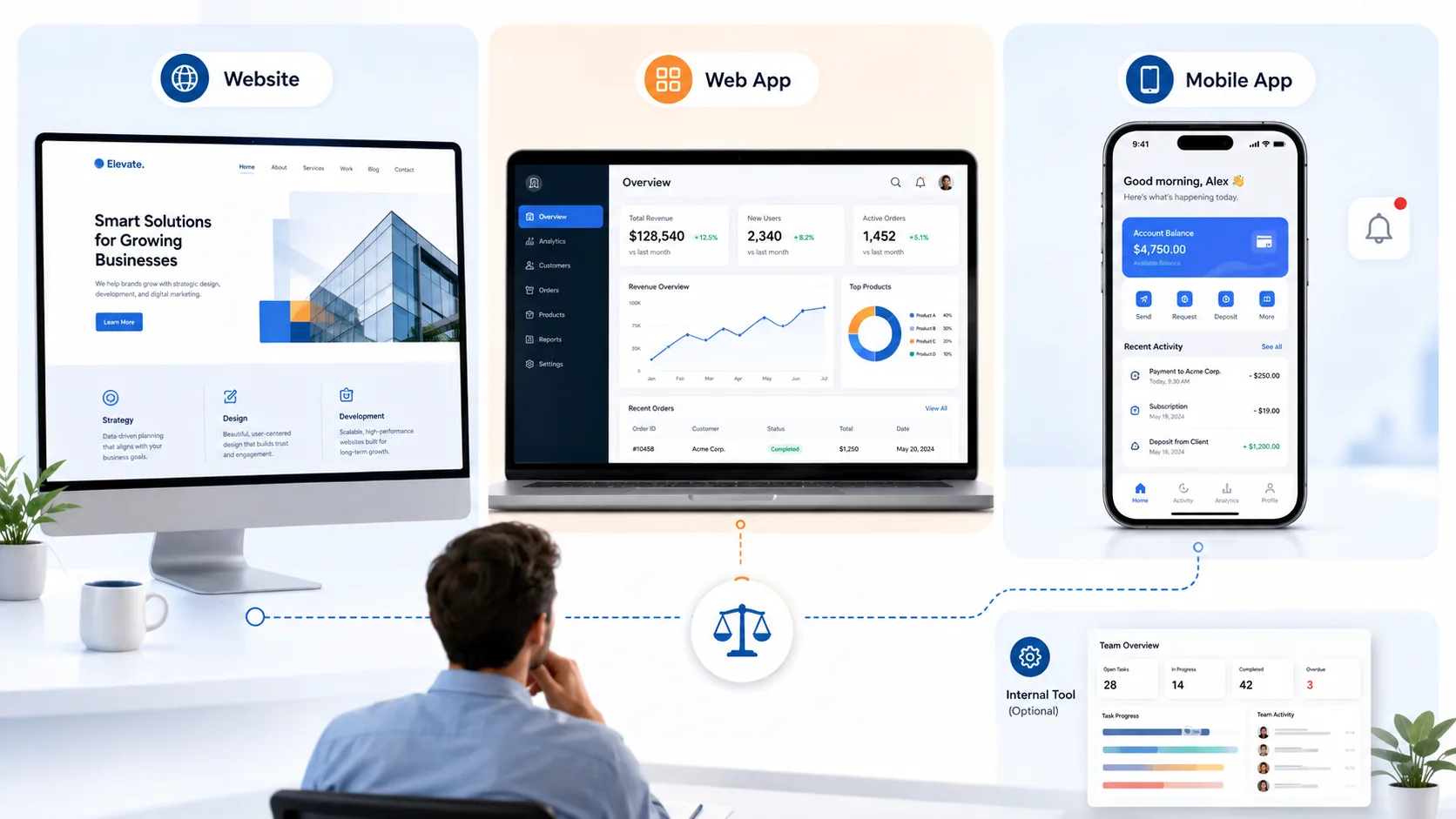
Business owners rarely walk in asking for “a website” or “an app” by accident. Usually something specific has stopped working: a spreadsheet that’s outgrown what one person can manage, a request from a customer the current site can’t handle, or a nagging sense that the business should “have an app” without a clear reason why. The trouble is that “website,” “web app,” “mobile app,” and “internal tool” get treated as points on the same scale, roughly ordered from simple to impressive, when they’re actually different tools built to do different jobs. Picking based on which one sounds most advanced is how businesses end up paying for far more, or far less, than they need.
This article walks through how to tell which one actually solves your problem, before you talk to anyone about building it.
The Four Options, Briefly
A website communicates information and drives an action: a visitor reads about the business, decides to trust it, and calls, fills out a form, or books something. If people are reading and then contacting you, a well-built website is doing its job.
A web app is for doing something, not reading something. Visitors log in, manage information, track a status, or interact with data specific to them, through a browser rather than something installed.
A mobile app puts that interaction on a device specifically, which matters when the use case needs deep, consistent access to the device itself: working offline, using the camera or location, sending push notifications, or being used often enough that living on a home screen actually changes behavior. A well-built web app can now offer versions of some of this too, which is covered in more detail below.
An internal business tool is built for your team, not your customers: a dashboard or portal that replaces a spreadsheet, a shared inbox, or a process three different people are handling three different ways.
That’s the short version. The more useful part is recognizing which situation you’re actually in.
When a Website Is Genuinely Enough
This is worth stating plainly, because it’s the answer businesses are least likely to hear from anyone with something to sell them: if your current problem is that people don’t know about you, don’t trust you yet, or don’t know how to reach you, that’s a website problem, and building anything more complex on top of it won’t fix it.
Signs a website is still the right tool: visitors are reading your services and then calling, filling out a form, or booking through a scheduling link; the information you need from a customer (their name, their question, what they’re looking for) is simple enough to collect once and hand off to a person; nobody needs to log back in later and see something specific to only them.
A restaurant with a menu and a reservation link, a law firm explaining its practice areas, a home services company listing what it does and where: these are website problems, even when the business feels sophisticated enough to want something more. Adding app-level complexity here doesn’t make the business look more credible. It usually just adds a maintenance burden nobody asked for.
When a Web App Becomes Justified
The shift happens when visitors stop just reading and start needing to do something specific to them, more than once, over time.
Examples: a customer needs to log in and check the status of an ongoing order or project; a client needs to view documents, invoices, or history that’s unique to their account; someone on your team needs to enter data that gets tracked, calculated, or reported on over time rather than just submitted once.
The test that tends to work best: would a form and an email confirmation actually solve this, or does the person need to come back later and see something that’s changed since the last time they looked? If it’s the second one, you’re looking at a web app, not a more elaborate website.
When a Mobile App Genuinely Adds Something
This is where the instinct to want an app most often gets ahead of the actual need. It’s also a case where the technical picture isn’t as clear-cut as it used to be. A modern, well-built web app (sometimes called a progressive web app) can offer offline access through caching, push notifications, an install-to-home-screen option, and some access to device features like the camera or GPS. How well any of that works still depends on the platform and browser involved, and it isn’t always as deep or as consistent as a native app’s access to the same features.
Because of that, the more useful questions aren’t simply “does this need to work offline” or “does this need the camera,” since a web app may already cover those reasonably well. The questions worth asking instead:
- Does the experience need deep or highly consistent integration with the device or operating system, not just occasional access to one feature?
- Are there platform-specific capabilities the web genuinely can’t provide reliably for how your users would actually use it?
- Does distribution through an app store specifically matter, whether for visibility, trust, or a real customer expectation, not just an assumed one?
- Is the product used often enough, multiple times a week, that a dedicated installed experience would materially improve it over a web app?
- Does the use case have performance, background-processing, or device requirements beyond what a web or progressive-web-app environment can reliably support?
Weak reasons, worth being honest about either way: “an app feels more professional,” “customers expect one,” or “I want people to see our icon on their phone.” A web app, built once, reaches a customer on any device without asking them to find it in an app store, create another account, or accept another download. In some cases, a web app may be the better first step, since it can reach users across devices without requiring an app-store installation, and real usage from that starting point will show whether the questions above actually point toward building native.
When an Internal Tool Is the Real Need
Sometimes the problem isn’t customer-facing at all. It’s a team that’s outgrown a spreadsheet, a shared inbox nobody can find anything in, or a process that lives in one person’s head because there’s never been anywhere else to put it.
An internal tool solves a different problem than any of the customer-facing options above: it’s not trying to build trust with a stranger or offer them a self-service experience. It’s trying to replace a fragile, manual process your own team depends on every day. Signs this is the actual need: the same information gets re-entered in two or three different places by different people; the person who “knows how it works” is a single point of failure; onboarding a new employee to the current process takes far longer than it should because nothing about it is written down or centralized.
Customer Portals: A Web App With a Specific Job
A customer portal deserves a specific mention, because it’s the case that most often gets confused with “just add a login to the website.” A portal is really a web app, purpose-built for one relationship: letting a specific customer see their own order status, their own documents, their own history. If you’re picturing something like this, the right question isn’t “should this be part of the website,” it’s “what does a customer actually need to see and do here, more than once, that’s unique to them.”
What Actually Drives Complexity
Cost and timeline for any of these options depend far more on scope than on which category it falls into. The real drivers, in practical terms: how many different types of users need different things (a customer view is different work than a customer view plus a staff view plus an admin view); whether the system needs to connect to other tools you already use, like a CRM or calendar, rather than standing alone; how much of the interface needs to be custom-built versus how much can use an existing, proven pattern; and how sensitive the data involved is, since anything touching payment details or personal records needs more care than a simple status page.
A simple internal tool with one type of user and no outside connections is a genuinely different project than a customer-facing application with logins, multiple user types, and integrations into other systems, even though both get called “an app.” Anyone giving you a number before understanding which of these factors apply to your specific project is guessing.
Warning Signs You’re About to Overbuild
A few honest signals that a business is reaching for more than it needs: the main justification is “it would look impressive” rather than a specific task someone needs to complete; there’s no clear answer to who would actually use it or how often; the plan involves building a mobile app before anyone has tested whether a simpler web app would already solve the problem; or the project keeps growing in scope during conversations because nobody defined what it actually needs to do before starting to design it.
Warning Signs Your Website Is Being Asked to Do Too Much
The opposite mistake is just as common: trying to bolt app-like functionality onto a website that was never built for it, usually through a patchwork of third-party plugins or embedded tools that don’t talk to anything else. Signs this is happening: customers are asked to log into three unrelated logins to do three related things; a “quick fix” plugin has quietly become the backbone of a process the business actually depends on; or basic changes to how something works require finding a developer for what should be a routine update. If your site has been stretched this way, that’s usually the moment a purpose-built web app becomes worth the investment, not because the website failed, but because it was solving a different problem than the one it’s now being asked to solve.
Before You Scope Anything
A short, honest self-check before talking to anyone about building something:
- What specifically does a user need to do, not just read, and how often would they do it?
- Is this for your customers, your team, or both?
- Does it need to work when there’s no internet connection, or use the camera or location specifically?
- Does it need to connect to systems you already use, like a CRM, calendar, or booking tool?
- Who are all the different types of people who’d use this, and does each of them need something different?
You don’t need a finished spec to have this conversation. You need honest answers to these questions, because they determine far more about scope, and therefore cost and timeline, than whichever category label ends up on the project.
Where to Go From Here
If what you need is something that explains your business and drives people to contact you, start with Web Design. If what you need is something a customer or your own team actually operates, whether that’s a portal, a tracking tool, or a custom application, start with App Development. If part of what you’re building needs to connect to a CRM, calendar, or other system you already run the business on, that’s worth raising early, since it changes the shape of the project either way.
If you’re not sure which category fits after reading this, that’s a normal place to be, not a problem. Tell us what you’re trying to accomplish and we’ll help you figure out the right starting point, including telling you honestly if the answer is that your current website already does what you need.